Mini DBA Azure SQL monitoring covers Azure SQL logical servers, elastic pools, and individual Azure SQL databases. Use it to review service tier, storage, activity, waits, Query Store, locks, indexes, permissions, health checks, alerts, and performance tuning.
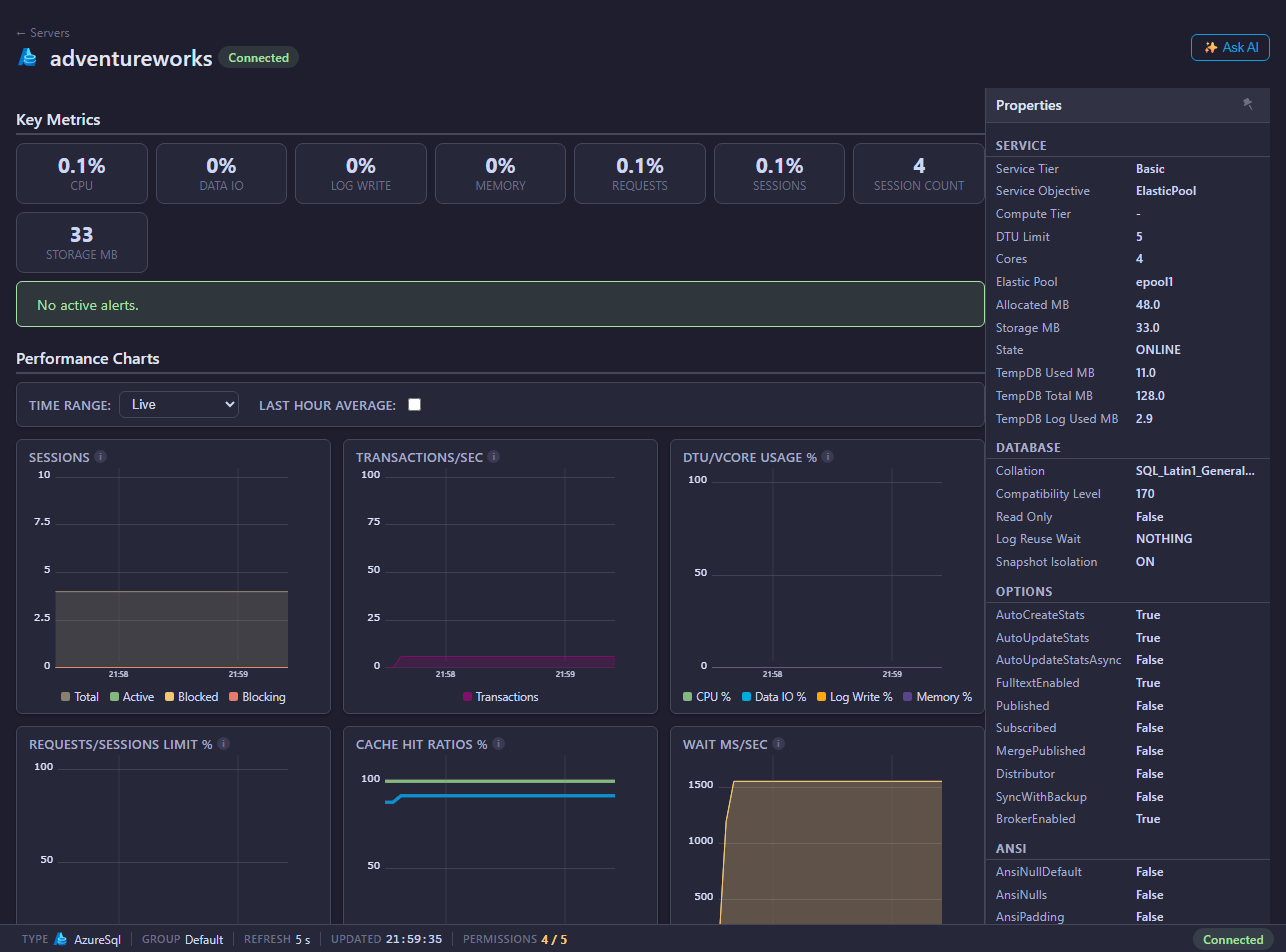
Azure SQL navigation levels
- Logical server pages show databases, elastic pools, and server-level alerts.
- Azure SQL database pages show summary, activity, profiler, queries, Query Store, memory, files, waits, locks, indexes, tables, permissions, health checks, deadlocks, alerts, and performance tuning.
What Azure SQL monitoring helps answer
Azure SQL monitoring in Mini DBA helps teams answer:
- Which Azure SQL databases are active on this logical server?
- Which database is driving elastic pool CPU, I/O, session, request, or storage pressure?
- Which queries are expensive according to Query Store and recent activity?
- Are sessions blocked, blocking, or waiting on locks?
- Is the database service tier or pool sizing appropriate for the workload?
- Are database permissions complete enough for monitoring?
- Are health checks finding configuration, storage, or query risks?
The key difference from self-managed SQL Server is that Azure SQL is a platform service. Mini DBA focuses on database, Query Store, waits, locks, elastic pool, and cloud/service metrics rather than direct host OS login.
Start here
- Create the monitoring login or identity using Azure SQL connection and permissions.
- Add the Azure SQL target from Servers.
- Open the Azure SQL logical server from the navigation tree.
- Review Databases and Elastic Pools.
- Open an individual Azure SQL database for detailed monitoring.
Common investigation flow
- Use Database Summary for service tier, storage, configuration, and permissions.
- Use Activity, Queries, and Query Store for workload analysis.
- Use Azure SQL Execution Plans to drill into expensive operators and plan warnings.
- Use Waits, Locks, and Deadlocks for concurrency and bottlenecks.
- Use Elastic Pools for pool sizing and noisy-neighbor analysis.
Permissions and Azure SQL data quality
Azure SQL permission scope matters. Server-level diagnostics require permission in master, while database monitoring requires permissions inside each monitored database. If a logical server page works but database pages are empty, the database user may not exist or may lack VIEW DATABASE PERFORMANCE STATE.
Use Azure SQL connection and permissions to create or map the monitoring login, Microsoft Entra user, service principal, or managed identity. Recheck permissions after adding a new Azure SQL database, because database-level grants do not automatically apply to every future database unless your provisioning process adds them.
Azure SQL monitoring FAQ
Can Mini DBA monitor Azure SQL elastic pools?
Yes. Azure SQL Elastic Pools shows pool membership, pool limits, database resource usage, and historical pool metrics.
Does Mini DBA need direct OS access for Azure SQL?
No. Azure SQL is managed by Microsoft, so direct host OS login is not available. Use Azure SQL database and elastic pool metrics instead.
Why do I grant permissions in every database?
Azure SQL database permissions are scoped to a database. Mini DBA needs the monitoring user mapped and granted inside each database to collect database-level data.
Can Mini DBA help decide whether to resize an Azure SQL Database or pool?
Mini DBA provides the evidence: waits, queries, service tier, elastic pool resource usage, and health checks. Use those pages to support a resizing or tuning decision.
Related pages
- Connect database servers
- Azure SQL connection and permissions
- Azure SQL execution plans
- Cloud provider settings
- Azure SQL health checks