Mini DBA
See your entire database estate in one place—across database engines, clouds, sites, and networks—then investigate performance, manage alerts, and use AI-assisted diagnostics to move from symptoms to answers faster.
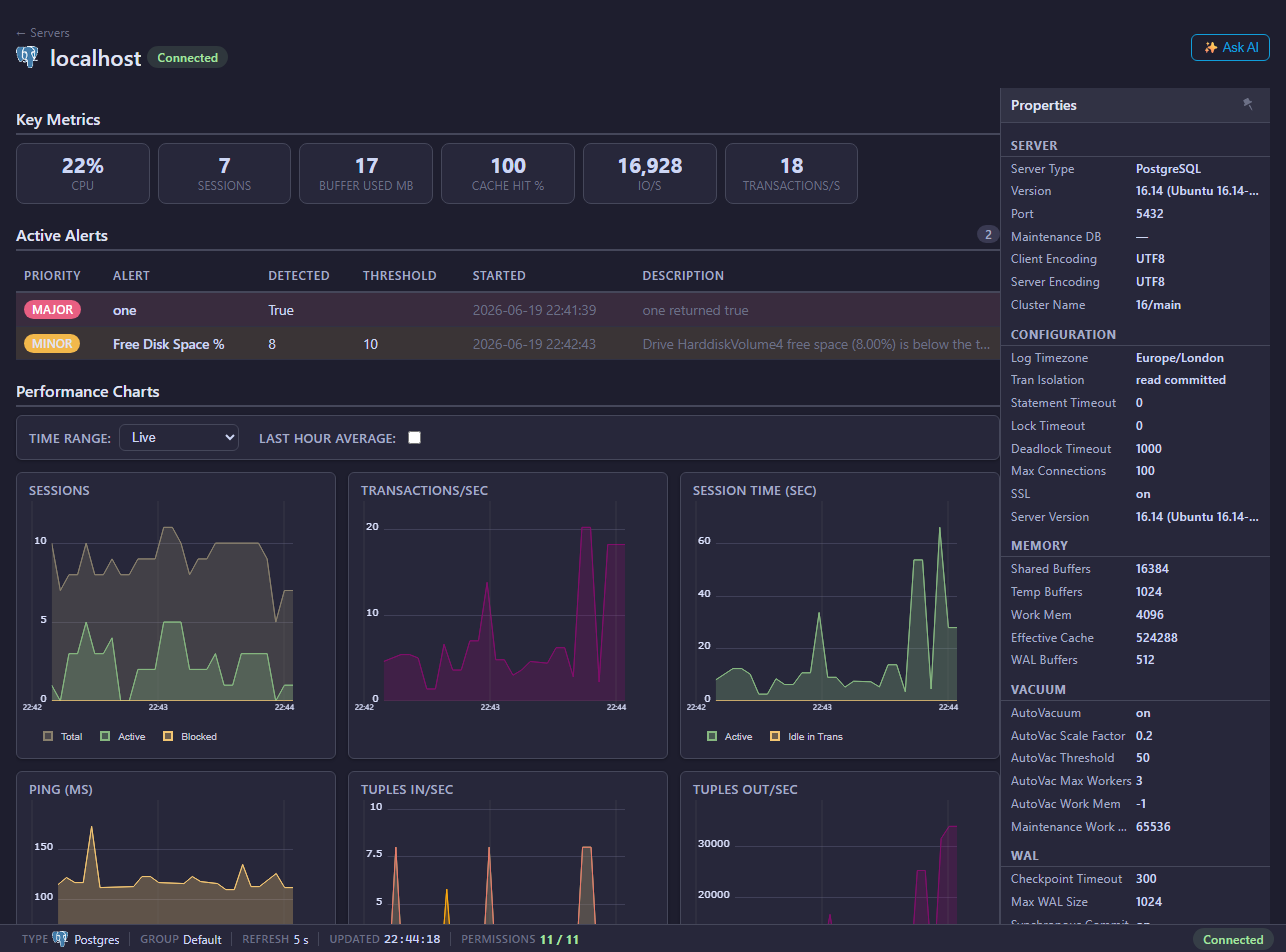
Features
- Browser-based Console for database administrators, developers, operators, and managed service teams monitoring multiple clients.
- Cross-platform database monitoring for SQL Server, Azure SQL, PostgreSQL, MySQL, MariaDB, and Oracle.
- Estate-wide dashboards with detailed performance, query, session, wait, storage, and health views.
- Configurable alerts, alert history, reporting, and notification integrations.
- AI Assistant for guided investigation and analysis using Mini DBA or your chosen AI provider.
- Database MCP Server for approved AI clients and automation tools.
- Multi-client and Multi Site Monitoring through optional additional Engines in advanced or distributed environments.
- Windows, Linux, and container-compatible deployment options.
- Free Community Edition for monitoring one database server after the 14-day trial.
See how Mini DBA fits together
Follow monitoring data between users, the browser-based Console, Mini DBA Engines and supported databases, then see how optional Engines support separate sites, networks or customer environments.
Read the video transcript
Mini DBA gives your team one view across every connected database estate.
Users work in the browser-based Console, with no database client required.
The Console exchanges monitoring views and settings with a Mini DBA Engine.
The Engine collects database metrics, evaluates alerts, and stores history for investigation.
Metrics and alerts return to the Console, giving the team an estate-wide view and fast drill-down.
For separate sites, networks, or customers, optional Engines still feed one central Console.
Monitor more. Investigate faster. With Mini DBA.
Installation components at a glance
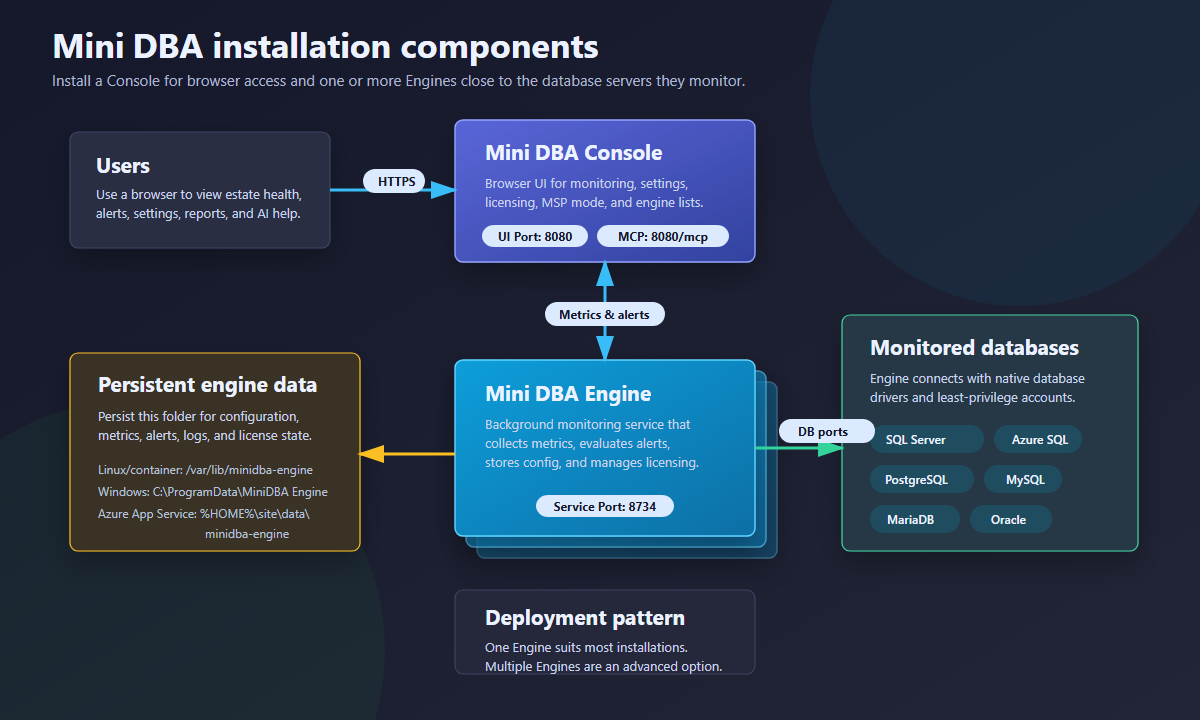
Users open the Mini DBA Console over HTTPS. The Console exchanges monitoring data and alert configuration with a Mini DBA Engine, while the Engine connects to the monitored databases and maintains its persistent configuration, metrics, alerts, logs, and licence state. One Engine suits most installations; advanced environments can connect additional Engines to the same Console when monitoring multiple sites or networks.
Looking for Mini DBA Desktop, Mini DBA Server, or Web Monitor? View the legacy Mini DBA products.
Investigate the database problem, not just the platform
Use a problem-led workflow across SQL Server, PostgreSQL, MySQL, MariaDB, Oracle and Azure SQL.
Blocking and lock contention
Find the lead blocker and understand every waiting session.
Investigate blocking →Deadlock analysis
Preserve participants, statements and resources after the event.
Analyse deadlocks →Query performance
Prioritise expensive workload and inspect execution plans.
Analyse queries →Performance history
Reconstruct incidents after the live symptoms have gone.
Explore history →Evaluate Mini DBA with confidence
Review how monitoring data and access are handled, then compare the available ways to use Mini DBA.
Security and data handling
Understand deployment boundaries, permissions, credentials, AI context, MCP access and external integrations.
Review Mini DBA security →Compare monitoring approaches
Compare Community, trial and licensed use, and see where continuous monitoring differs from scripts and snapshots.
Compare Mini DBA →