SQL Server monitoring that gets you from alert to cause
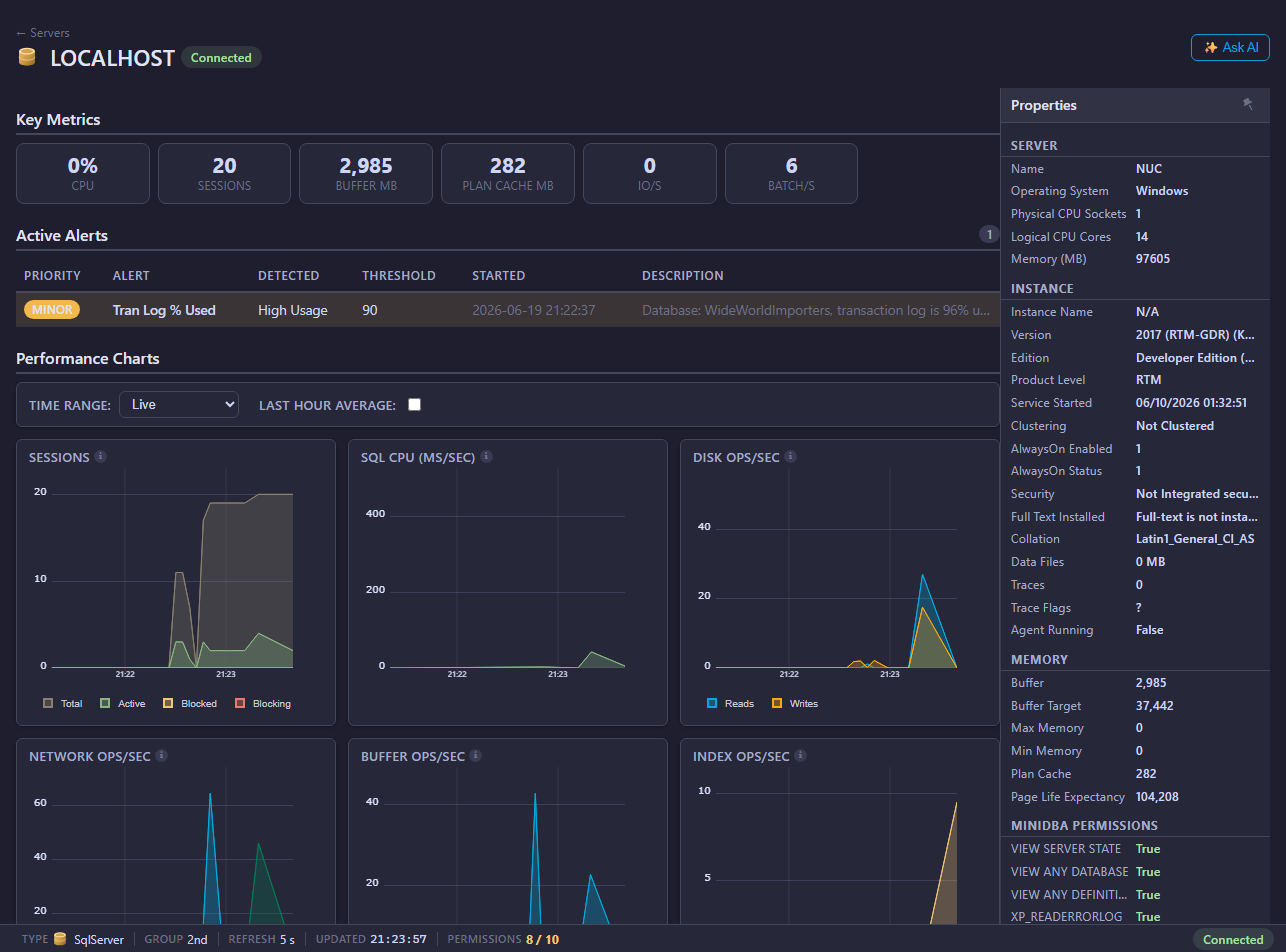
When SQL Server slows down, the urgent question is not whether CPU is high—it is which workload, wait, lock or plan caused the change. Mini DBA keeps the live and historical evidence together so DBAs can investigate without assembling a trail from separate tools.
Monitor SQL Server on Windows or Linux, on premises, in a VM or in a supported cloud environment. Start with estate health, then drill into a server, database, session, query or execution plan while the context is still available.
Problems you can solve faster
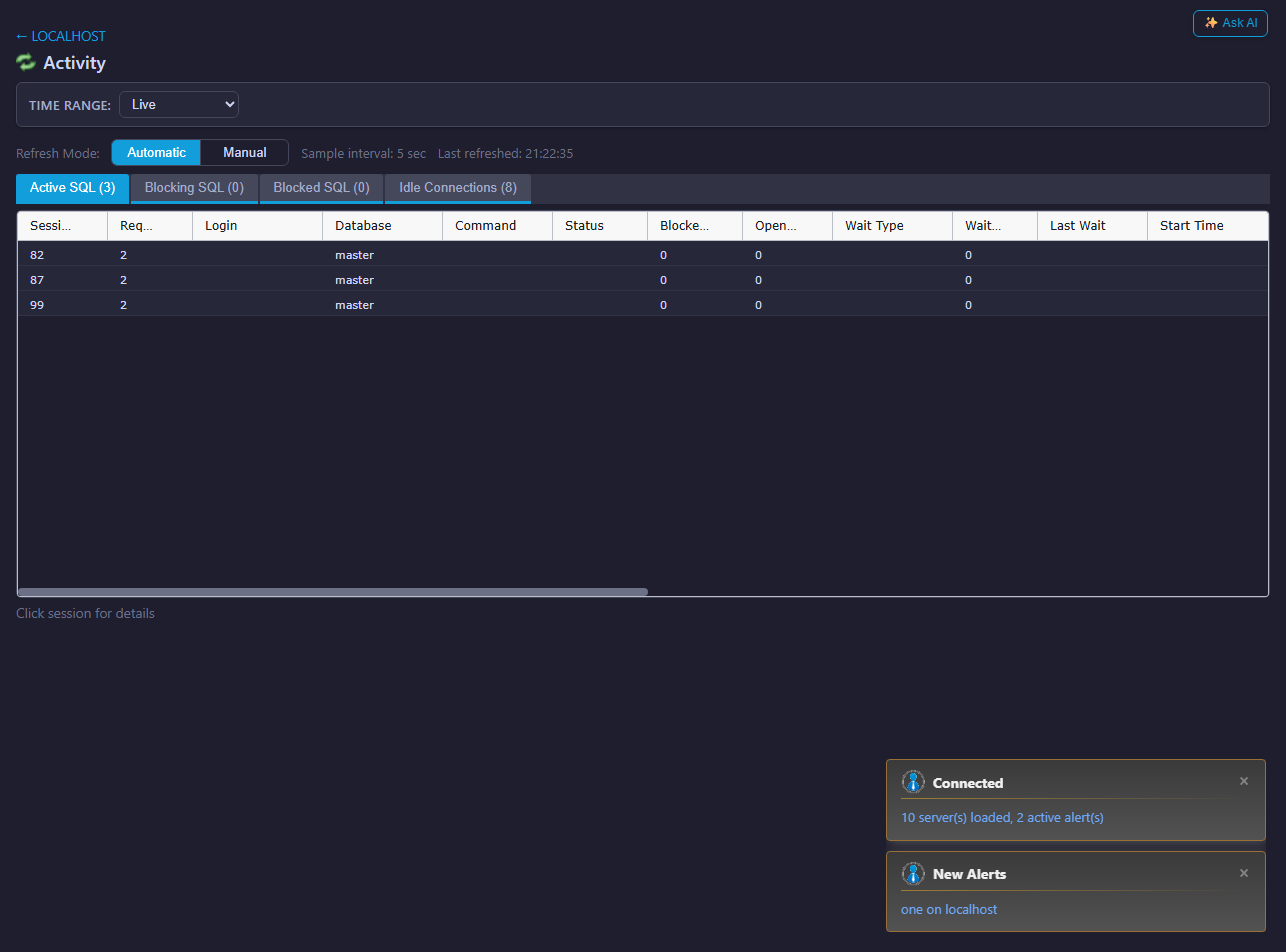
- Identify blocking chains, long-running sessions and deadlocks.
- Separate CPU, memory, storage and wait-related bottlenecks.
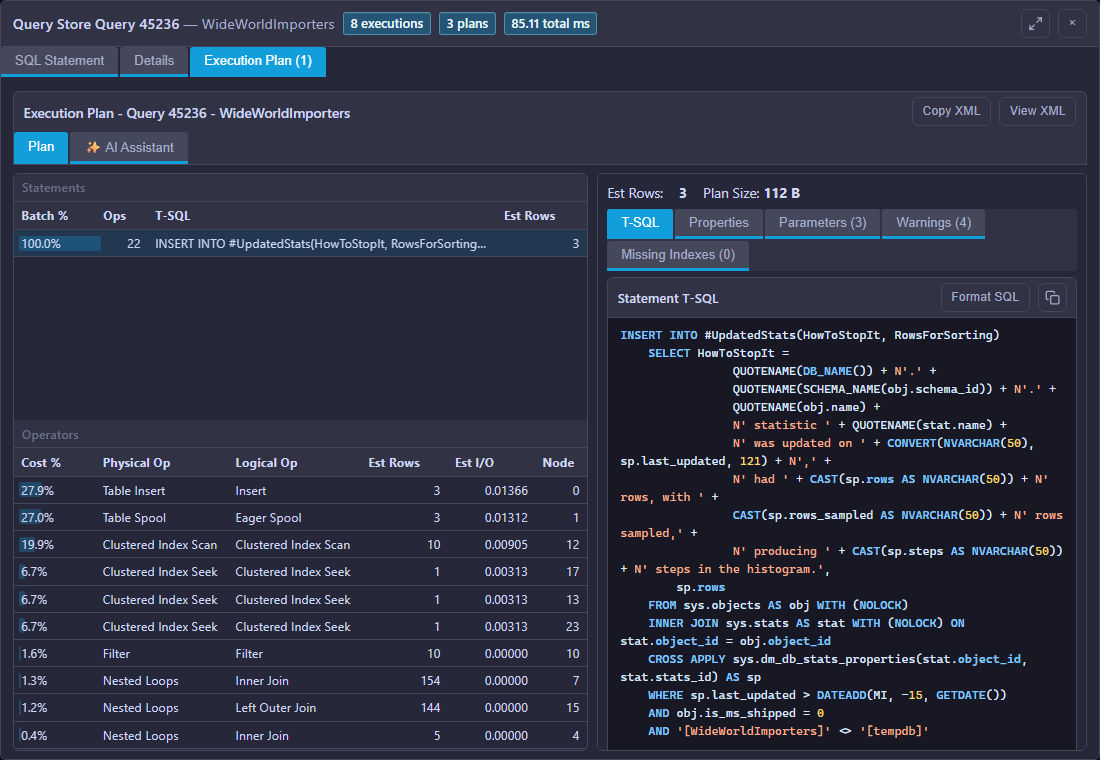
- Find expensive SQL and inspect execution-plan warnings.
- Catch file growth, job, availability and configuration risks early.
SQL Server monitoring features
- Live sessions, blocking, deadlocks, waits and server activity.
- Query analysis, cached SQL, Query Store and execution plans.
- CPU, memory, drives, database files and I/O diagnostics.
- Indexes, Agent jobs, Always On, error logs and health checks.
- Database-level detail for configuration, growth and workload changes.
Keep the evidence, not just the alert
- Metric and query history for comparing the incident with normal behaviour.
- Configurable alerts and alert history with email and integration options.
- AI Assistant for guided investigation using current monitoring context.
- SQL Server MCP monitoring within the same multi-database investigation workflow.
- One browser Console across SQL Server and the rest of your database estate.
Explore SQL Server monitoring workflows
Choose the workflow closest to the problem you need to solve or the team that will use Mini DBA:
- SQL Server alerts and proactive monitoring
- SQL Server memory monitoring and pressure analysis
- SQL Server health checks and best-practice monitoring
- SQL Server performance tuning
- SQL Server query optimisation and execution-plan analysis
- Database monitoring for DBAs and operations teams
- Database performance monitoring for developers
SQL Server troubleshooting guides
Use these practical guides to move from a user-visible slowdown to the waits, queries or memory grants behind it:
Monitor every database platform from one Console
PostgreSQL MySQL and MariaDB Oracle Azure SQL
Explore cross-platform database monitoring across the complete mixed estate
Investigate the database problem, not just the platform
Use a problem-led workflow across SQL Server, PostgreSQL, MySQL, MariaDB, Oracle and Azure SQL.
Blocking and lock contention
Find the lead blocker and understand every waiting session.
Investigate blocking →Deadlock analysis
Preserve participants, statements and resources after the event.
Analyse deadlocks →Query performance
Prioritise expensive workload and inspect execution plans.
Analyse queries →Performance history
Reconstruct incidents after the live symptoms have gone.
Explore history →Install Mini DBA on Windows, a suitable Linux VM or a supported container platform, connect an Engine and start collecting the evidence behind performance incidents.